
IFTTT - Automate work and home
IFTTT, IncProductivity
3.216.28K Reviews
- Version
- Varies With Device
- Installs
- 10.00M
- Age Rating
- Everyone
Screenshots

Our Review of IFTTT - Automate work and home
 Analysis by Appyee
Before I connect apps, I try to spot a task I repeat often enough to justify automating. That small pause matters with IFTTT: it works best when a clear event should lead to a clear action, not when I’m trying to replace an entire planning system. Used that way, it can take care of handoffs between services and connected devices while leaving the decisions that need my attention to me.
Start with a routine, not a catalogue
It’s tempting to browse automation ideas first and build a collection of applets just because they sound clever. I get better results by writing down a recurring annoyance: copying a reminder into another service, keeping a record of a particular update, or remembering to make a small home adjustment. Then I check whether the services involved can be connected and whether the result would genuinely save effort.
This approach also helps me decide what should remain manual. A workflow that sends an alert or files a copy can be easy to review; one that publishes something publicly or changes a device without a useful cue deserves more care. I treat every applet as a small rule with a real-world consequence, rather than assuming that automation is automatically an improvement.
Choose useful signals and keep the result clear
When I set up a workflow, I look for a trigger that is specific enough to avoid clutter. If every minor update creates a notification, I may learn to ignore all of them. A narrower trigger, or an action that quietly saves information for later, can make an applet more useful than a stream of alerts. For anything I rely on, I also make the result easy to recognize so I can tell whether the automation did what I expected.
One practical use is to send a chosen kind of update into a place where I already review work, rather than scattering new reminders across several apps. Another is to keep a simple record of recurring digital activity, which can help me find information later without remembering which service first contained it. These workflows are modest, but they are often more valuable than an elaborate setup I have to keep supervising.
Where automation needs a safety check
Automations depend on the services they connect to and on the trigger being meaningful. If an account is disconnected, a service changes how it behaves, or a trigger is too broad, the result can be delayed, duplicated, or simply less useful than expected. I would not use an applet as the only safeguard for something urgent, sensitive, or costly. For those tasks, a direct reminder or a manual check is safer.
I also recommend testing a new applet with a low-stakes example before trusting it with a routine. Check what the action actually does, whether its output is easy to find, and whether the notifications are helpful rather than noisy. That small trial makes it easier to spot a mismatch between the rule you intended and the behavior you configured.
A helper, not the whole productivity system
For me, this app fits best as a quiet layer between tools I already use. It can reduce repetitive copying and make certain home or work routines more consistent, but it is not a substitute for a task manager, calendar, or a thoughtful way to prioritize. I get the most from it when I decide where information should end up before building the connection.
That distinction is useful when comparing it with the usual alternatives. A built-in integration is often simpler if I only need two tools to work together and it already covers the task. A dedicated automation platform may suit someone who needs complex branching, detailed control, or a workflow that must be dependable in a particular professional setup. I reach for IFTTT when I want a more approachable way to connect supported services and devices without turning setup into a technical project.
Have you ever found yourself juggling multiple apps, trying to get them to work seamlessly together? Well, let me introduce you to IFTTT (short for "If This Then That"), the app that promises to make your digital life a whole lot easier. I've spent some time tinkering with it, and here's what I discovered.
Connecting the Dots
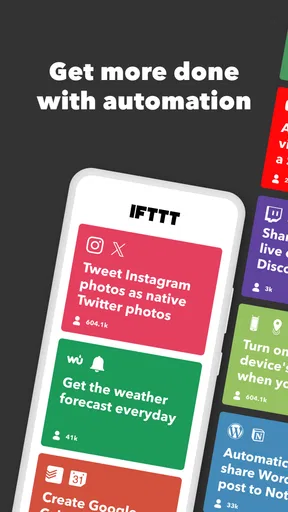
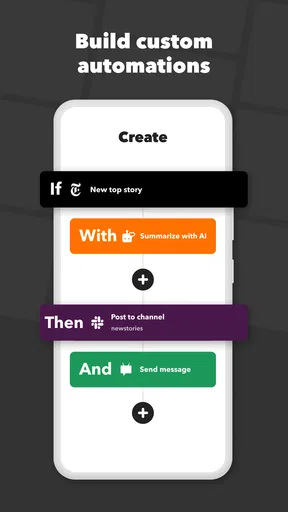
Imagine a world where your apps talk to each other without you having to lift a finger. That's the magic of IFTTT. It's all about creating "applets," which are simple automations that link two services together. For example, you can set up an applet to automatically save your Instagram photos to Google Drive. Handy, right?
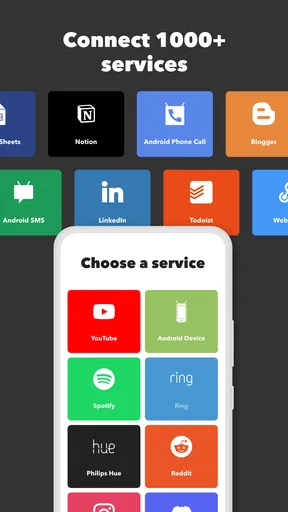
The app supports a wide range of services, from social media platforms like Twitter and Facebook to smart home devices like Philips Hue and Nest. You can even integrate with productivity tools like Slack and Trello. The possibilities are almost endless, and the best part is, you don't need to be a tech wizard to set it all up.
User-Friendly Interface
One of the things I really appreciate about IFTTT is its user-friendly interface. The app is designed in a way that makes it easy for anyone to create and manage applets. You can browse through a library of pre-made applets or create your own from scratch. The step-by-step process is straightforward, and I found the app's guidance to be super helpful.
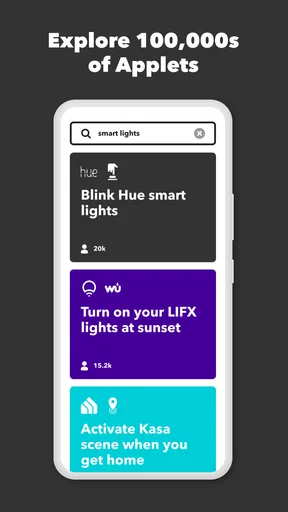
There's also a nifty search feature that lets you find applets based on your needs. Whether you're looking to automate your home or streamline your workflow, a quick search will likely lead you to the perfect applet.
Endless Customization
If you love personalizing your tech, IFTTT won't disappoint. You can tweak applets to suit your specific preferences. For example, I set up an applet to send me a daily weather update at 7 AM, so I know what to expect before stepping out. You can adjust triggers, actions, and even add conditions to make sure the automation fits your lifestyle perfectly.
And let me tell you, the app is surprisingly fun to use. There's a certain satisfaction in seeing your apps and devices work together in harmony. It's like having a personal assistant that never gets tired or annoyed.
Real-Life Applications
So, how does IFTTT fit into everyday life? Let me give you a few examples. For the social media enthusiast, you can automate posts across platforms, ensuring consistent engagement without the hassle. For the home automation lover, you can set your lights to turn on automatically when you arrive home or have your coffee machine start brewing as soon as your morning alarm goes off.
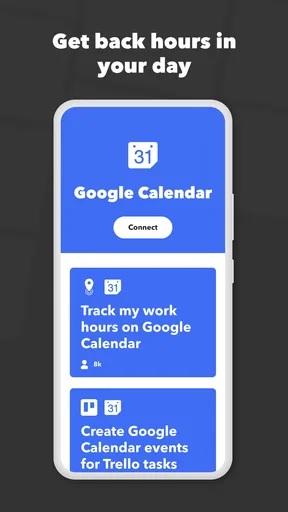
For the productivity geeks, linking your calendar with task management apps can keep you on top of your schedule effortlessly. The app even supports voice assistants like Alexa and Google Assistant, making hands-free control a breeze.
Final Thoughts
In a world where efficiency is key, IFTTT stands out as a must-have tool for anyone looking to simplify their digital life. The app is free, though there is a pro version for those wanting more advanced features. But even with the basic version, the convenience it offers is remarkable.
Whether you're a tech enthusiast or just someone looking to make life a bit easier, IFTTT is worth trying out. It's a bit like having a magic wand for your apps and devices, and who doesn't want a little magic in their lives?
What to check before you rely on an applet
A common question is whether IFTTT can take over a whole workflow. I wouldn’t plan on that. Think of each applet as a handoff between services: it can reduce routine steps, but it doesn’t automatically provide a full project view, resolve conflicting information, or decide what deserves attention. I keep the main record of a task in the tool designed for that job, then use automation only for the repetitive connection around it.
For example, imagine I finish a workday and want selected updates to be easier to find the next morning. A useful setup might route a relevant event into a familiar place for review, while leaving me to decide whether it needs a task or a reply. The benefit is less searching, not an assumption that every message has been handled. This distinction keeps an automated inbox or log from becoming a second, less manageable task list.
Another practical question is whether an applet runs instantly. I treat automations as convenience rather than a real-time guarantee, especially when the underlying services are responsible for detecting events and carrying out actions. If timing matters, I use the service’s own controls or verify the result directly. If a workflow stops behaving as expected, I first check that the connected accounts still work, then review the trigger and action before rebuilding the whole routine.
Make the setup easier to maintain
One detail that is easy to overlook is naming. Once I have several applets, a clear name that describes the trigger and outcome makes the list far easier to audit than a playful label. I also avoid creating two automations that appear to do the same thing; overlapping rules can make it hard to understand why an action happened more than once.
I prefer to add one workflow at a time and live with it before adding another. That gives me a chance to notice whether it saves a step or just moves the interruption somewhere else. When an applet no longer matches my routine, turning it off is better than keeping a dusty automation whose purpose I have forgotten. This is especially useful for home routines, where a rule that made sense during one schedule may become awkward after circumstances change.
Privacy and account access deserve a deliberate look too. Connecting services means choosing which accounts participate in a workflow, so I limit connections to what the task needs and avoid routing sensitive information into a destination I do not normally use. I would not connect a personal account simply because a ready-made applet is popular; I first check what information the action moves and where it will appear.
Who will get the most from it
IFTTT is a good fit for someone who already uses several supported apps or connected home products and can name a repetitive handoff between them. It is particularly approachable if you want to experiment with small automations without learning a scripting language. The free starting point makes it easy to explore, while optional in-app purchases range from $3.99 to $169.99 per item, so I would check the current plan details against the number and kind of workflows I actually need before paying.
The app has been available since April 24, 2014, and it is developed by IFTTT, Inc. On Android, it requires version 8.0 or later. It is a productivity app rated for Everyone, with an average rating of 3.2 from around 187,000 ratings, alongside roughly 16,000 written reviews and more than 5 million installs. Those figures suggest a widely tried tool with mixed reactions, which matches my advice: its usefulness depends heavily on whether your particular services and routine fit the model.
I would skip it if I only need one basic connection that my apps already handle themselves, if I need strict control over a complex business process, or if I cannot tolerate an automation occasionally needing attention. In those cases, a built-in integration, a dedicated workflow product, or a manual check may be the more sensible choice. I also wouldn’t adopt it just to collect applets; the best setup is usually small enough that I can explain what every rule does.
A measured recommendation
What I like most is the change in mindset it encourages: instead of repeatedly doing the same digital housekeeping, I can ask whether a simple trigger-and-action rule can take care of it. What I like less is that an easy setup can make a workflow seem more dependable than the connected services actually are. A little testing, restrained notifications, and occasional review make a real difference.
For home routines, personal organization, and straightforward links between familiar services, I’d give IFTTT a try. Start with one low-risk task, confirm that the result lands where you expect, and only then decide whether another applet would genuinely help. It is not a complete productivity system, but as a carefully chosen connector, it can make the system you already use feel less repetitive.
Verdict
Strengths of IFTTT - Automate work and home
- Easy-to-use interface for all users.
- Integrates with a vast range of apps.
- Customizable applets are a breeze.
- Reliable performance and execution.
- Saves time with automation.
Limitations of IFTTT - Automate work and home
- Free version has limited features.
- Some integrations may lag.
- Can be complex for beginners.
- Requires internet for most tasks.
- Notifications can be overwhelming.
Similar Picks in This Category
View All
Google Calendar
Google LLC4.6

Google Drive
Google LLC4.3

Google Assistant
Google LLC3.9

Microsoft OneDrive
Microsoft Corporation4.6

Samsung Calendar
Samsung Electronics Co., Ltd.4.1

Microsoft OneNote: Save Notes
Microsoft Corporation4.6
Frequently Asked Questions
What is IFTTT, and how does it work?
IFTTT (If This Then That) is an automation tool that connects different apps and devices to streamline tasks. It uses simple conditional statements called 'applets' to perform actions. For example, you can set it to automatically save email attachments to Google Drive or turn on your smart lights at sunset. It's a powerful way to integrate different technologies for seamless automation.
Is IFTTT free to use, or are there any subscription costs?
IFTTT offers both free and paid plans. The free version allows users to create up to three applets. For more advanced features, such as unlimited applets, multiple actions, and premium support, there is a subscription service called IFTTT Pro. Pricing details can vary, so it's best to check their website for the latest information.
How secure is IFTTT in terms of data privacy?
IFTTT takes user privacy seriously and implements various security measures to protect your data. They use encryption for data in transit and at rest. However, since it connects multiple services, it's essential to review the permissions you grant to each applet. Always ensure that third-party services used with IFTTT follow robust privacy practices.
Can IFTTT integrate with smart home devices?
Yes, IFTTT is highly compatible with a wide range of smart home devices. It supports popular brands like Philips Hue, Amazon Alexa, Google Home, and many others. Through IFTTT, you can automate smart home tasks, such as adjusting thermostat settings or turning appliances on and off, enhancing convenience and energy efficiency.
What are some common use cases for IFTTT?
IFTTT is versatile, offering countless automation possibilities. Common use cases include automating social media posts, syncing notes across devices, receiving weather alerts, and managing smart home devices. Businesses can use it to streamline workflows, such as sending notifications for new leads or automatically backing up important files. Its flexibility makes it a valuable tool for both personal and professional use.
